
最近在研究docker,好像蛮有意思的。比如部署redis,rocketMQ这些服务,挺方便的。但是苦于国内机器无法连接docker官网,所以安装不了最新版的。如果直接用debian系统的软件源,安装出来的docker还是26.x的,docker compose还是2.x版本的。现在官网docker版本已经去到29.x,docker compose也去到5.x了。
于是经过搜索,决定使用阿里云的软件源来安装最新版的docker。以下命令基于Debian 13 64位系统
1、更新系统并安装基础工具
sudo apt-get update -y
sudo apt-get install -y apt-transport-https ca-certificates curl gnupg lsb-release -y
2、添加阿里云 Docker 仓库的 GPG 密钥
curl -fsSL https://mirrors.aliyun.com/docker-ce/linux/debian/gpg | sudo gpg --dearmor -o /etc/apt/keyrings/docker.gpg
3、添加阿里云的 Docker 软件源
echo "deb [arch=$(dpkg --print-architecture) signed-by=/etc/apt/keyrings/docker.gpg] https://mirrors.aliyun.com/docker-ce/linux/debian $(lsb_release -cs) stable" | sudo tee /etc/apt/sources.list.d/docker.list > /dev/null
4、更新软件包索引并安装 Docker
sudo apt-get update -y
sudo apt-get install docker-ce docker-ce-cli containerd.io docker-compose-plugin -y
5、启动docker并设置为开机自启动
sudo systemctl start docker
sudo systemctl enable docker
6、查看安装的docker版本号
docker -v
docker compose version
完成以上操作,那么我们就已经把docker安装好了。但是现在有一个问题,假如我们要拉取docker的镜像,我们是拉不到的。比如拉取测试镜像
docker run hello-world
会提示我们:Unable to find image 'hello-world:latest' locally docker: Error response from daemon: failed to resolve reference "docker.io/library/hello-world:latest": failed to do request: Head "https://registry-1.docker.io/v2/library/hello-world/manifests/latest": dial tcp 199.96.62.21:443: i/o timeout
这个时候我们就要配置镜像加速器了,这里我直接选择使用阿里云的镜像加速。阿里云的镜像加速,每个账号对应一个地址。
7、获取阿里云容器镜像加速地址
访问https://cr.console.aliyun.com/,并登录阿里云账号,然后在左侧【镜像工具】-->【镜像加速器】-->根据右边下方显示的操作文档配置镜像加速器
例如:
sudo mkdir -p /etc/docker
sudo tee /etc/docker/daemon.json <<-'EOF'
{
"registry-mirrors": ["https://xxxxxx.mirror.aliyuncs.com"]
}
EOF
8、重启docker并验证 Docker 是否正常工作
sudo systemctl daemon-reload
sudo systemctl restart docker
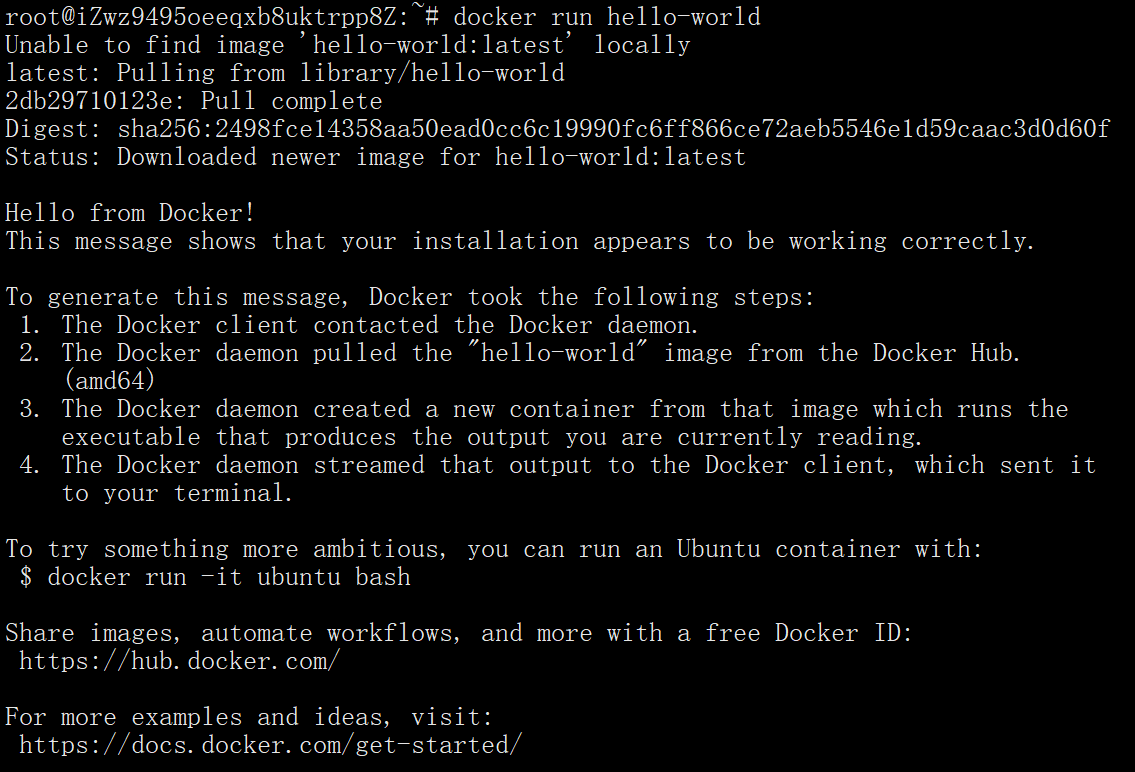
docker run hello-world
如果能看到下面这些提示信息,就说明docker已经正常安装,并且运行正常了。
Hello from Docker!
This message shows that your installation appears to be working correctly.





小菜鸟
学习了。